

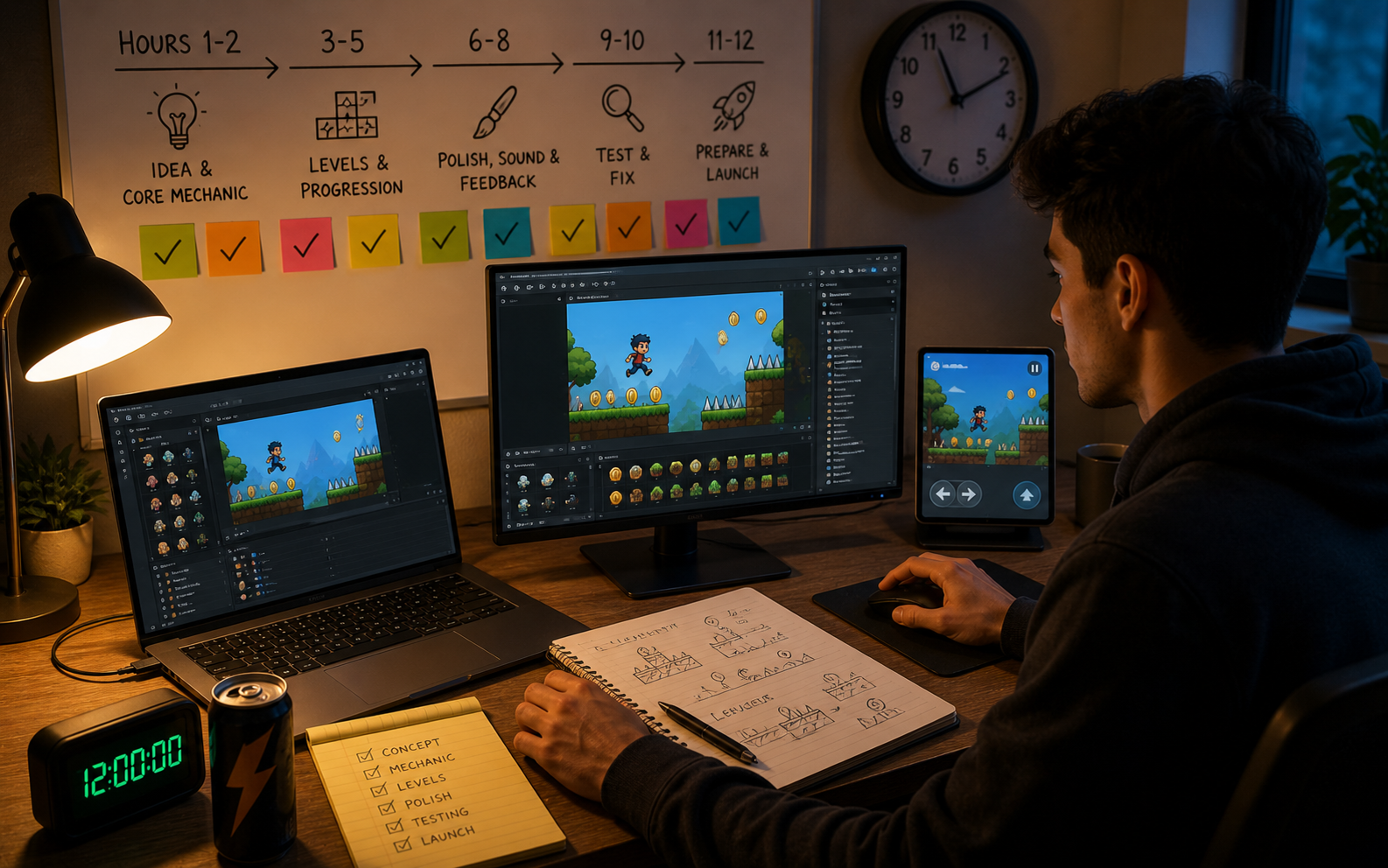
Many people dream of making their own game, but think it takes weeks or months. With AI tools, it is now possible to build and launch a simple but fun game in just one day. The key is to keep the scope small, stay focused, and follow a clear plan. This guide gives you a practical 12-hour roadmap to create your first viral games from start to finish. You will learn what to do in each hour block so you can move efficiently and end the day with a playable game that is ready to share. Whether you have never made a game before, this structured approach makes the process achievable and exciting.
Preparing for Your 12-Hour Game Project
Before you start the timer, choose a very simple game idea. Pick one core mechanic that can be understood in seconds, for example, tapping to jump over obstacles, stacking items, or avoiding moving threats. Avoid complex stories or multiple modes for your first project. Set up your workspace with a comfortable chair, a reliable internet connection, and the AI game creation tool ready to go. Have a notebook or document open to track your progress and ideas. Decide on a basic theme and art style that is easy to generate. Set a timer for 12 hours and commit to staying focused. Taking regular short breaks will help you maintain energy throughout the day.
Four Important Rules for a 12-Hour Build
Follow these four rules to stay on track and finish successfully.
- Keep It Extremely Simple: Focus on one main action and one clear goal.
- Use AI for Heavy Lifting: Let the tool create levels, characters, and basic mechanics while you refine them.
- Test Early and Often: Play the game after every major addition to catch problems quickly.
- Prioritize Playability Over Perfection: Aim for a fun, working game rather than a perfect one.
These rules prevent you from getting stuck on small details and help you complete the project in one day.
Hour-by-Hour Plan to Build Your Game
Hours 1-2: Choose an Idea and Set Up the Core Mechanic
Spend the first two hours deciding on your simple game concept and describing it clearly to the AI tool. Build the basic movement and main action. Test it immediately to make sure it feels playable.
Hours 3-5: Create First Levels and Progression
Use the AI to generate your first three to five levels. Add a simple progression, such as increasing difficulty or new obstacles. Make sure each level introduces something small but noticeable.
Hours 6-8: Add Polish, Sound, and Feedback
Improve visuals, add basic sound effects, and ensure every action has clear feedback. Refine controls so they feel smooth and responsive.
Hours 9-10: Test Thoroughly and Fix Issues
Play through the full game multiple times. Fix any bugs, balance difficulty, and improve anything that feels frustrating. Test on both the computer and the mobile if possible.
Hours 11-12: Prepare for Launch and Publish
Create a simple title and end screens, write a short game description, and take screenshots. Upload your game to a platform and make it publicly available.
Four Essential Elements to Include in Your First Game
- Clear Goal: Make sure players always know what they are trying to achieve.
- Simple Controls: Keep controls easy to learn and responsive.
- Gradual Difficulty: Start easy and slowly increase the challenge.
- Satisfying Feedback: Add visual and sound effects for success and progress.
Including these four elements ensures your game feels complete even in a short build time.
Common Challenges During a 12-Hour Build
You may run into moments where the AI does not generate exactly what you want. When this happens, try rephrasing your description in simpler terms or breaking the request into smaller parts. If you fall behind schedule, simplify further. It is better to have a small, polished game than a larger, unfinished one. Stay flexible and focus on making the core loop fun rather than adding many features.
A good example of a simple but enjoyable AI-generated game is Hunters Path. You can try it on Astrocade. It shows how a focused idea with clean execution can create an engaging experience quickly.
Preparing Your Game for Launch
In the final hours, make sure the game has a clear title screen, simple instructions if needed, and an easy way to restart. Take several good screenshots that show the gameplay clearly. Write a short, honest description that explains what the game is about in one or two sentences. Choose a platform that allows quick publishing for indie games.
After Launch Tips
Once your game is live, share it with friends and on social media. Ask for honest feedback and be ready to make small improvements based on player responses. Your first game is a learning experience. Celebrate finishing and launching it in one day. Use what you learned to make your next project even better and faster.
Wrapping Up
Building and launching your first AI game in 12 hours is realistic when you keep the scope small and follow a structured plan. Focus on one clear mechanic, create a few simple levels, add basic polish, test thoroughly, and publish before the day ends. Whether you build your games with Astrocade or other easy tools, this approach helps you turn an idea into a real, playable game quickly. The experience of completing and launching a project in one day builds confidence and teaches you valuable skills for future games. Start today by choosing a simple idea and setting your 12-hour timer. With focus and steady work, you can have the satisfaction of seeing your own AI-generated game live and playable by the end of the day. Every great game maker started with a first project; this can be yours.
